WhatsApp · Instagram · TikTok
Buy from any seller, safely.
Found something you love? Send your PickSpot. Review your order, pay in the app and track it to your door. Check your items before you accept them.
 Get it on Google Play
An easier way to order · 15K+ already on PickSpot


Step 1 · In the chat
Just send your
PickSpot.
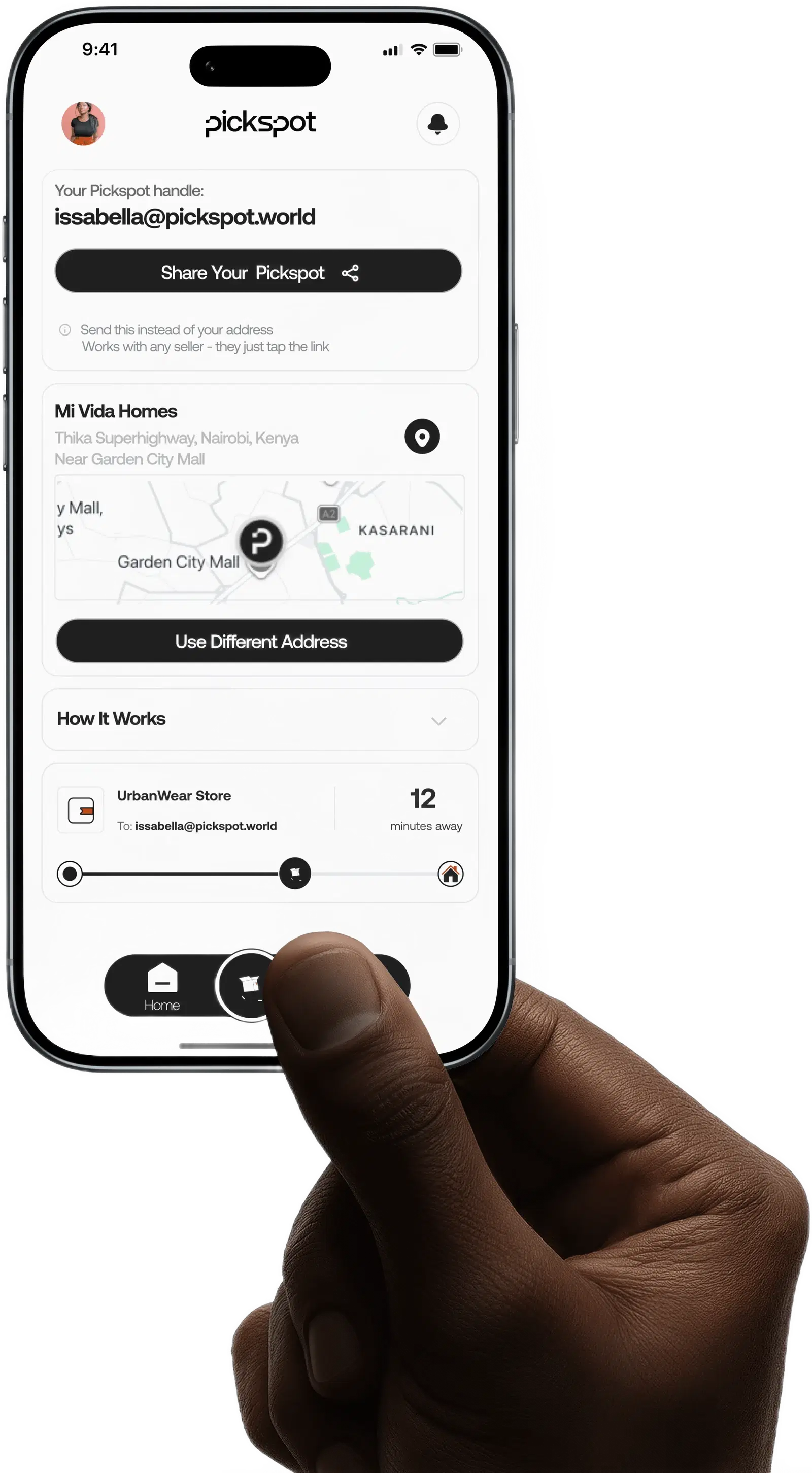
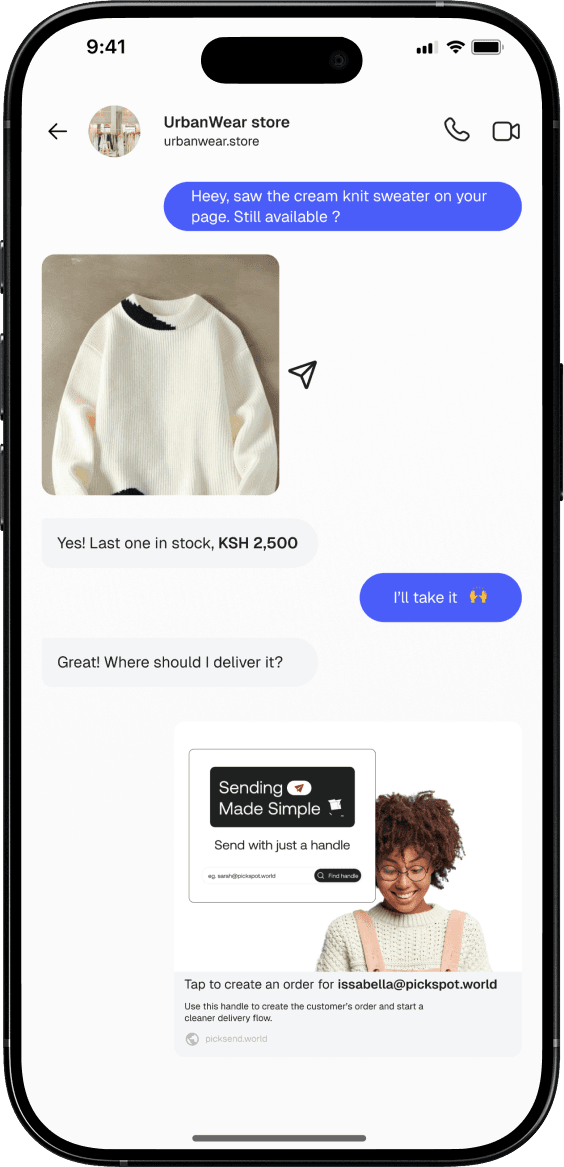
Buying in a chat? Share your PickSpot handle so the seller can send your order straight to your app.
One handle to share wherever you shop.
- No more typing addresses
- No more delivery instructions
- Delivery address stays private
- Any seller. Any platform.
Nothing moves until
you approve ✓
Step 2 · In the app
Your order. All there.
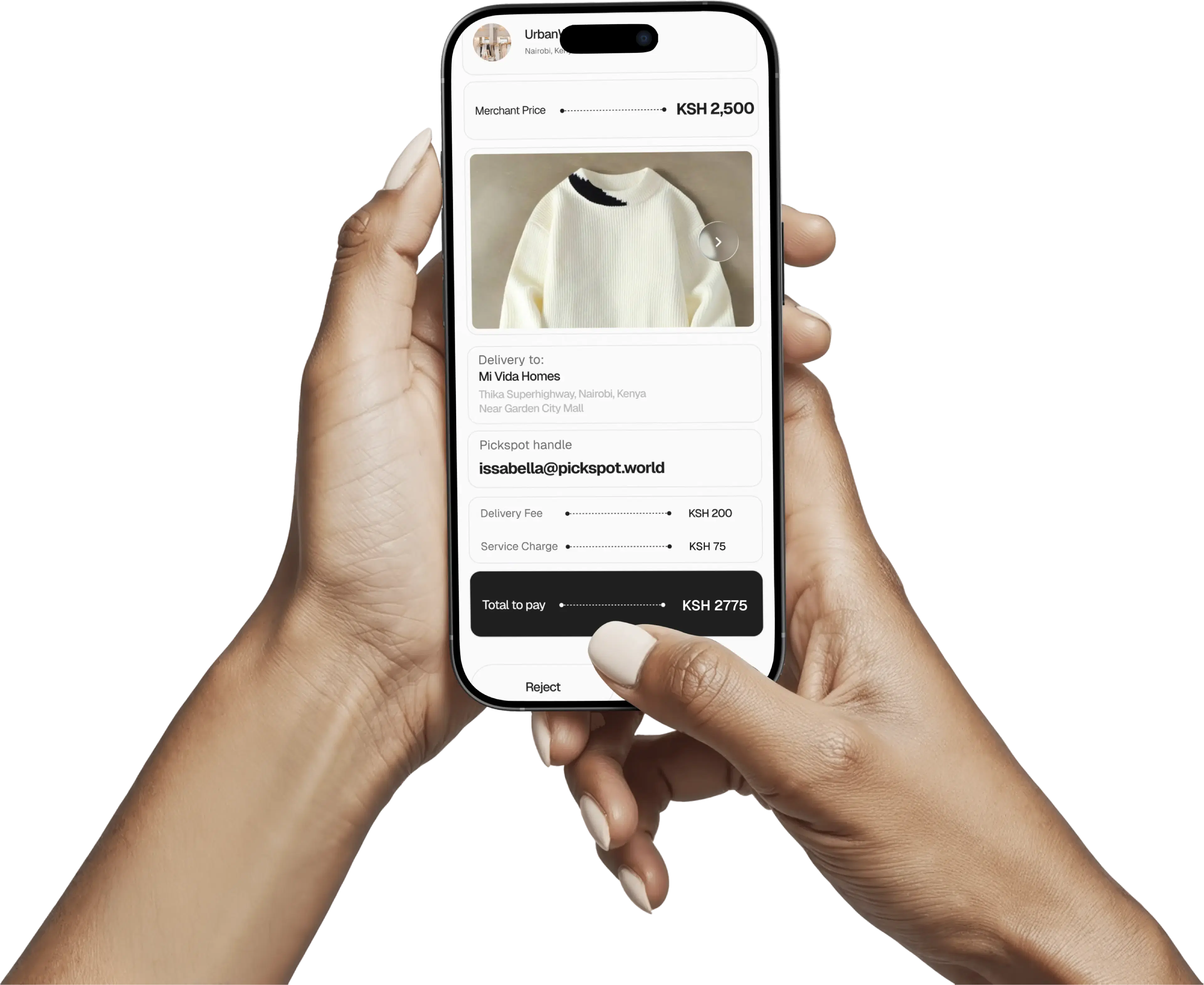
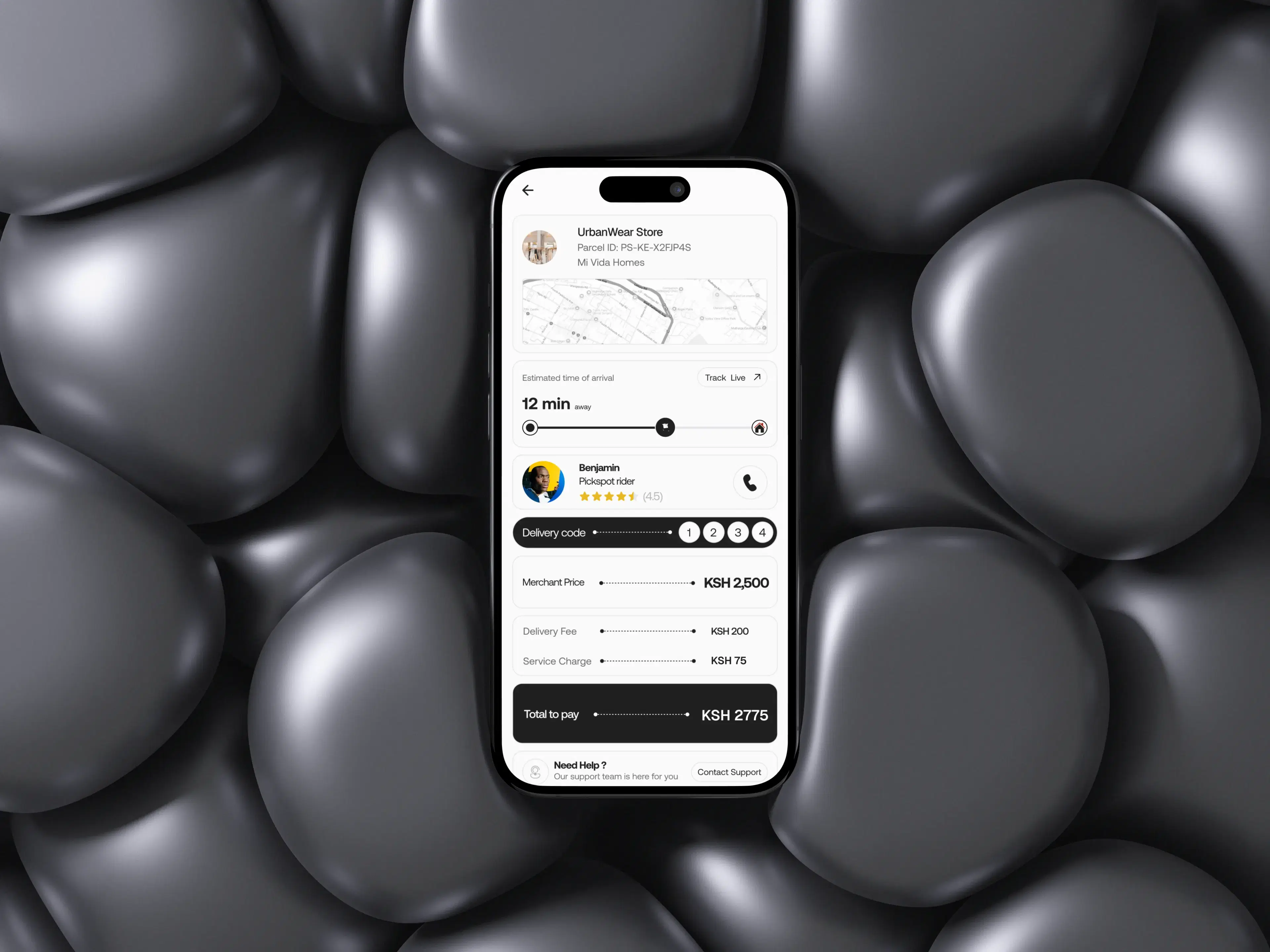
See who you’re buying from, what you’re buying and exactly what you’ll pay. Your items, delivery fee and customer fee are shown together. Review everything before paying in the app.
Merchant price
KSH 2,500
Delivery fee
KSH 200
Service charge
KSH 75
Tap to review and confirm your order
KSH 2,775 total
Know the total before you pay - follow it to your door.
In the PickSpot app
See it, track it,
confirm it.
Every order shows the full price breakdown and total up front. Track your rider live, then confirm delivery with your code - you're in control from request to doorstep.
Why use Pickspot?
Claim yoursCheck it.
Then confirm it.
See the seller, the item, photos, the price and the delivery fee before you pay a thing. When your order arrives, inspect your items before giving the rider your delivery code.
You're
in control.
Track your order to your door and confirm it yourself. Happy with everything? Share your code to accept. The seller receives payment after you confirm that your order has arrived.
Something
wrong?
Reject the order before sharing your code. The items are returned and the product price is refunded. Delivery and customer fees are not refunded.
How it works
Your next order, in four steps.
Send your PickSpot
Share your handle with the seller you’re buying from.
Review and pay
Your order request arrives in the app. Check the details, confirm your delivery address and pay.
Track your delivery
Follow your order as it makes its way to you.
Inspect and confirm
Check your items, then give the rider your code to accept.
Received an order request?
You’re in the right place. Sellers can also send you an order request on WhatsApp or share it with you elsewhere. Open it to continue in PickSpot. You’ll review the details before paying, track your delivery and check your items before accepting. No need to share your handle first.
Get Your PickSpot.
One handle for every order. Get yours and shop with confidence.
Online orders, without the gamble.
Stop guessing whether your order will arrive. Use PickSpot to see the item, approve it, track delivery and confirm once it shows up.
With PickSpot, every order starts as a clear request — you see the item and price, pay in the app, track the rider, and confirm when it arrives. Buying from a DM finally feels like buying from a real store.
Questions? Answered.
Everything you need to know about ordering safely with PickSpot.
What is PickSpot?
PickSpot helps you buy safely from sellers you find on WhatsApp, Instagram, TikTok and elsewhere. Review your order, pay in the app, track delivery and inspect your items before confirming acceptance.
What is my PickSpot?
It’s your personal handle, like amina@pickspot.world. Share it with a seller so they can send an order request directly to your PickSpot account. You can use the same handle with different sellers.
What if the seller hasn’t used PickSpot before?
They can get started with PickSpot Business and send you an order request. It’s free for sellers to use.
Can a seller send me an order without my handle?
Yes. You can also receive an order request on WhatsApp or through a request shared with you elsewhere. Open it to review and complete your purchase in the PickSpot app.
Do I need the app?
Yes. The app is where you review and pay for your order, track delivery and find your delivery code.
Why should I use PickSpot?
You see the merchant, product photos, product details, price, delivery fee, and total before you pay. After you pay, you can track delivery, inspect your order when it arrives, and confirm it with an OTP — and if a delivery fails, you are refunded.
Does the seller see my delivery address?
No. Your delivery address is shared with the delivery provider, not the seller.
How does PickSpot work?
Receive an order request and review the details. Approve your order and authorise payment. Track the delivery. When the delivery person arrives, inspect your order. Accept it by giving the OTP, or reject it before giving the OTP.
When do I pay?
After reviewing your order details and the full total, before delivery. The seller receives payment after you accept the order with your delivery code.
Can I inspect my order before accepting it?
Yes. Check your items before giving the rider your delivery code. Only share it when you’re ready to accept the order.
What happens when I give the OTP?
Your OTP is used to confirm delivery. Once it is successfully verified, the order is complete and final. Always inspect your order before giving the code to the rider.
What if something is wrong with my order?
Reject it before giving the rider your code. The items are returned to the seller and the product price is refunded. Delivery and customer fees are not refunded.
What happens if I reject an order?
The parcel is returned to the merchant. You receive a refund of the product price only. The delivery fee and PickSpot Customer Fee are not refunded. Any Failed Delivery Fee charged to the merchant is separate and is not deducted from your refund.
Can I change my delivery address after paying?
No. The delivery process begins immediately after payment, so you cannot change the delivery address for that order once payment is complete. Check your address before paying.
Is my money safe?
PickSpot is built to give you more confidence: you review the order before paying, you inspect it before accepting, and you are refunded if a delivery fails. Inspect your order before giving the rider your OTP. Successful OTP verification completes the order, after which the failed-delivery refund process no longer applies.
Can PickSpot suspend my account?
Yes — for fraud, abuse, misrepresentation, excessive failed deliveries, or policy violations.
How do I get started?
Download PickSpot, create your account, get your handle, and share it with merchants whenever you want to place an order.